03 · 0→1 Product · AI · Habit design

Nook — turning saved articles into a daily reading habit.

A solo 0→1 project taken from personal frustration to a shipped MVP in 10 weeks — combining behavioural design, AI teasers, and a hand-built React Native + n8n stack.

Nook is a daily reading habit app that uses AI-powered teasers to help users overcome the psychological barrier of starting the articles they saved. Unlike traditional read-later apps that focus on content management or summaries, Nook acts as a personal reading coach — giving users just enough of a taste to spark curiosity and pull them back into the habit.

Role

Founder — PM + Designer + Developer

Team

Solo

Timeline

Jan – Mar 2026 · 10 weeks

Stack

React Native · n8n · Claude Code · Pencil.dev

The itch

It all started from my own frustration.

I had 47 open tabs. A graveyard of unread newsletters. A saved-posts folder I was convinced held wisdom I'd get to someday.

Trust me — I wanted to read.

But whenever I finally had free time, I was scrolling new content, saving more things I'd never revisit, piling up bookmarks. The truth hit me: I didn't have a discovery problem. I had a consumption problem.

Discovery

Is this a real problem — and is there already a way to solve it?

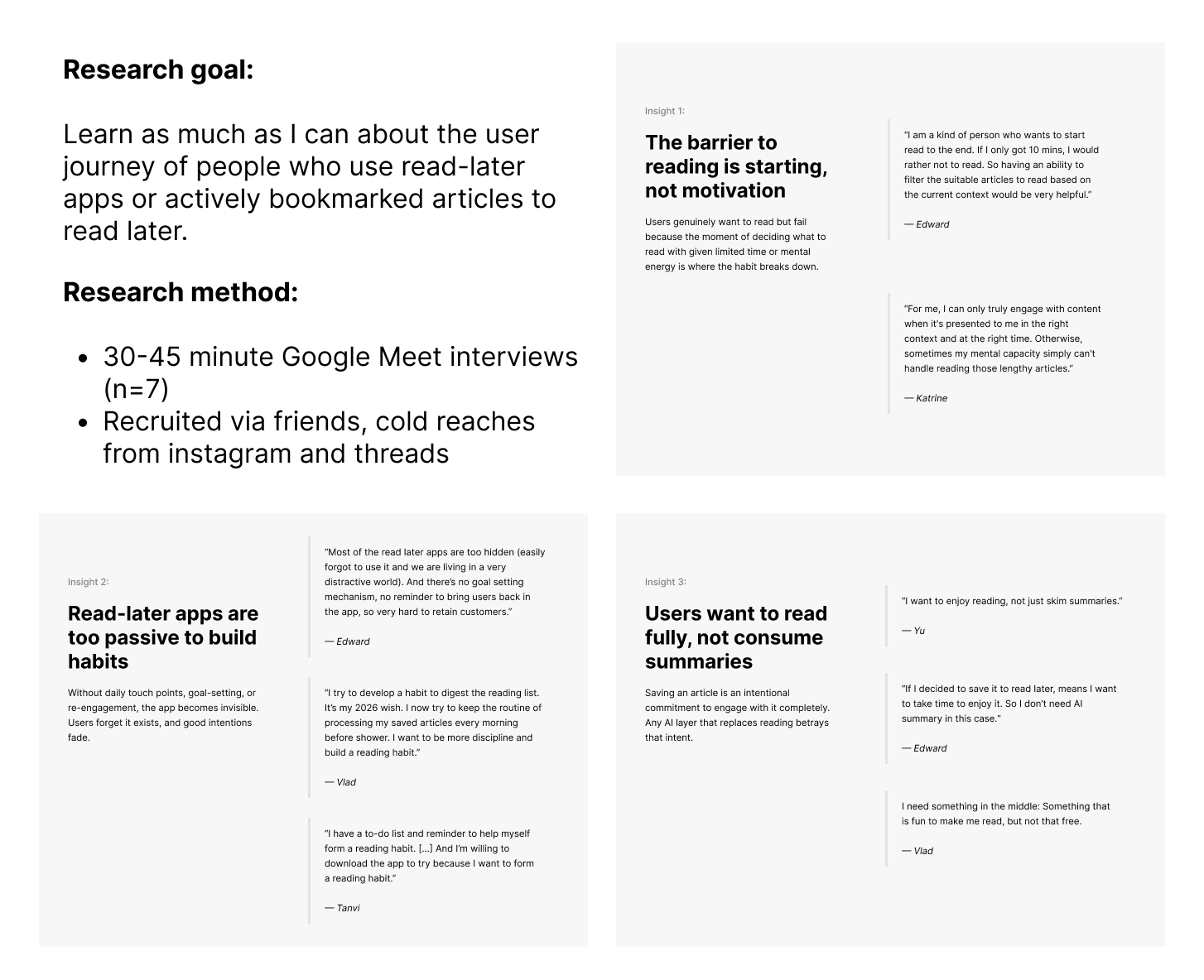
I ran user interviews to understand why people save content in the first place, and tried everything on the market: bookmark managers, read-later apps, second-brain platforms. Here's what surfaced.

Finding 01

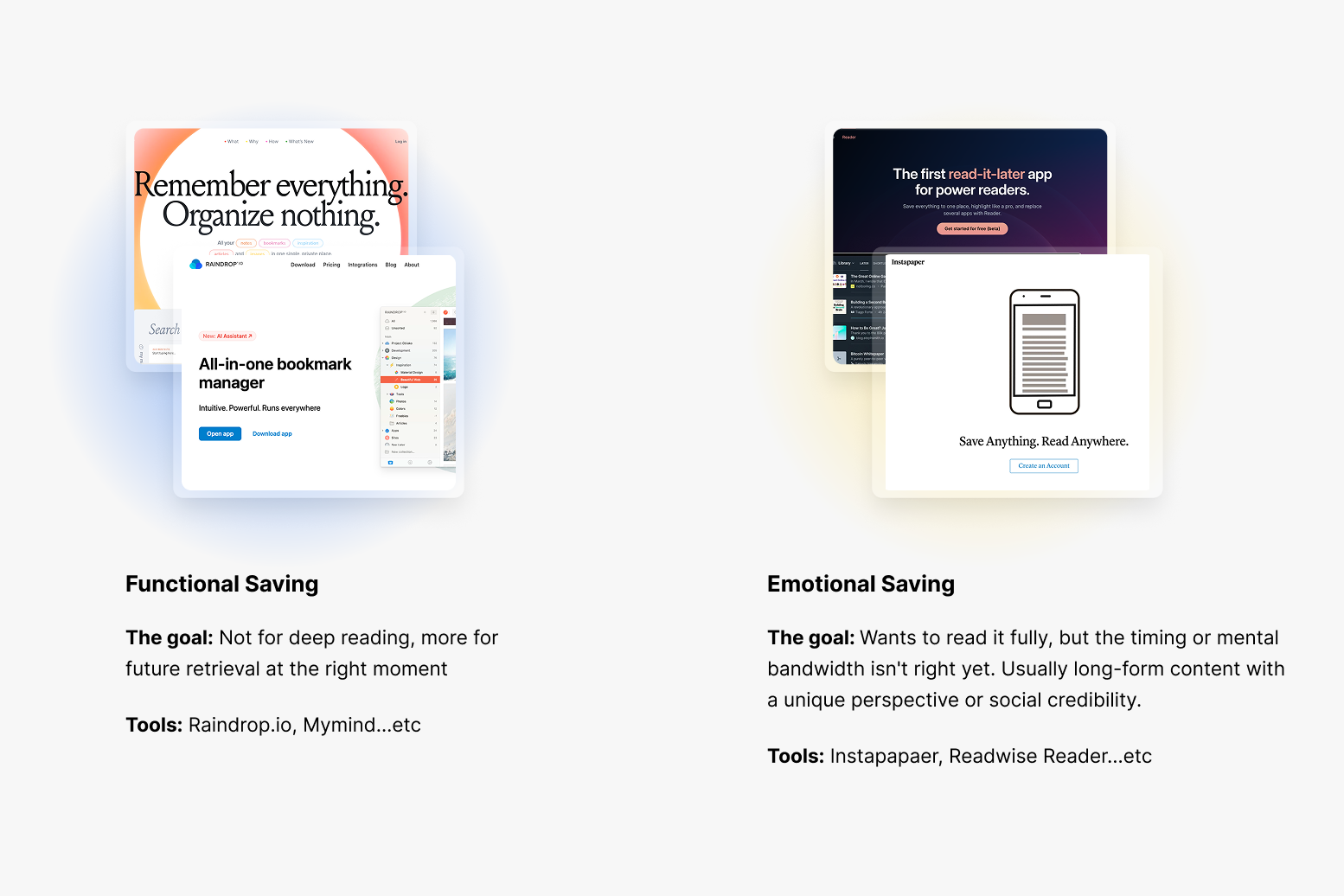
Not all saving behaviour is the same

People save content for two fundamentally different motivations that require completely different solutions. The market mostly addresses functional saving — not the mental bandwidth needed to actually process what you saved.

Finding 02

Tools that help you process saved articles are still underserved

Read-later apps exist, but none of them clicked. They were either too simple, too bloated, or missing the one thing I actually needed: a system that helps me consistently show up and read.

Two modes of saving behaviour — functional vs. aspirational

Framing

Framing the problem and setting goals.

A market gap is a starting point, not a destination. I framed the problem through viability, desirability and feasibility, and talked to people already using read-later apps or drowning in bookmarks. A clearer insight emerged.

Core insight

The core problem of saving but never reading is the psychological barrier to starting and the absence of a reading habit.

Core problem framing — barrier to starting and missing habit loop

Goal 01

Turn saved content into real learning

Build a system that helps people actually read and process what they saved — sustaining continuous learning.

Goal 02

Help people build a reading habit

Encourage small, consistent actions without the pressure of streaks or perfectionism.

Goal 03

Grow as a 0→1 product designer

Use this project to build with AI and grow into a designer who can take an idea from concept to launch.

Design solution

Turning saved articles into reading sessions.

The core problem wasn't a missing feature — it was a psychological barrier to starting. So instead of building more ways to save, I redesigned the moment of opening.

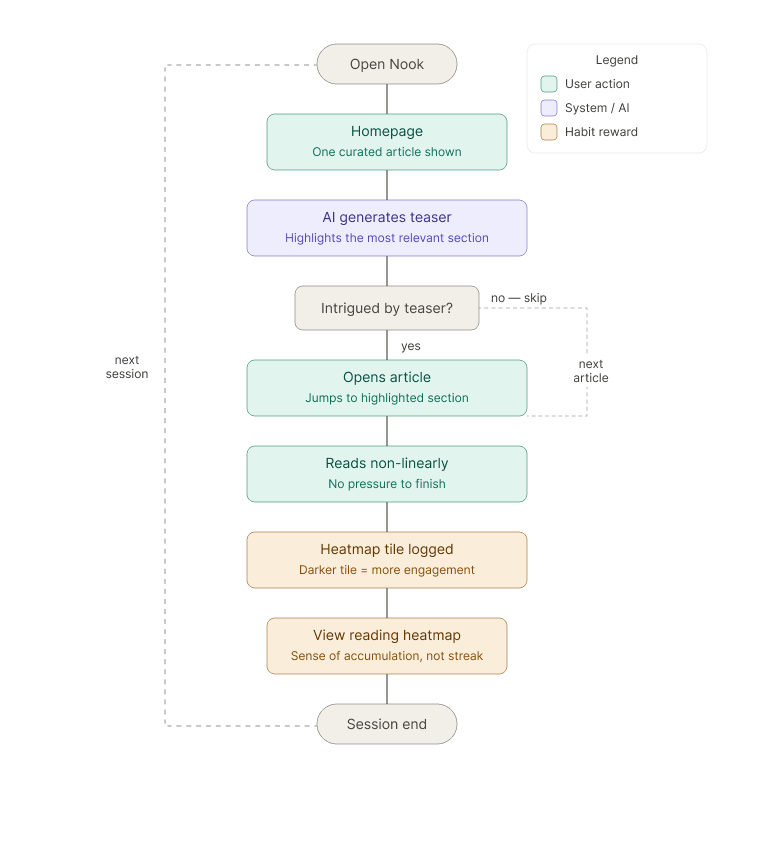
I reimagined the opening flow as a curated moment rather than a browsing experience. Instead of a full saved library, the app surfaces a single article, with AI acting as a curator — highlighting the section most likely to resonate with that user.

This creates an information gap: enough to intrigue, not enough to replace the reading. The article opens directly at that section, removing the pressure to start from the top. Marking it read closes the habit loop.

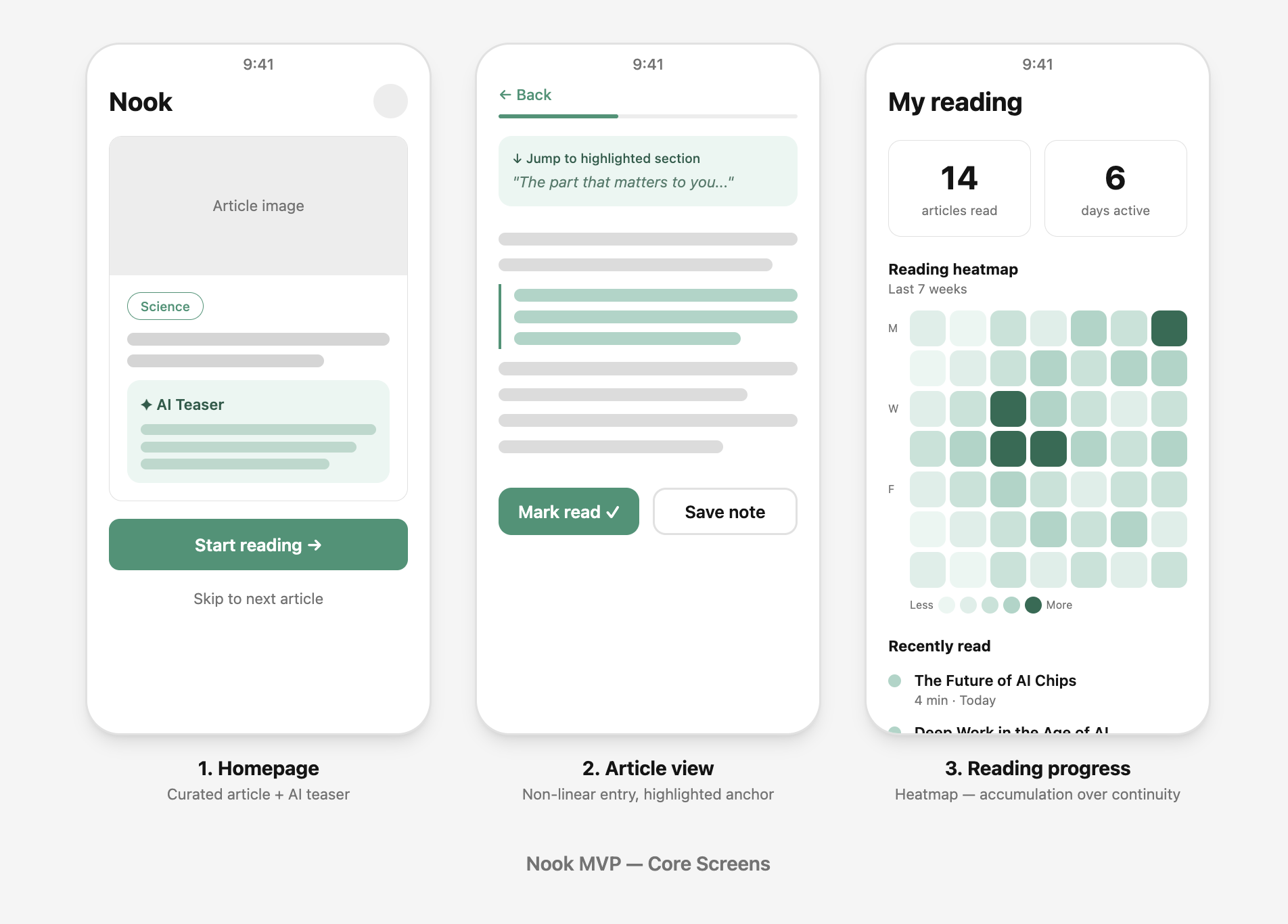
Curated opening — a single article, teasedNon-linear anchor entry into the article
Three core screens — home, article, heatmap
Three core screens: homepage with teaser card, article view with non-linear anchor entry, and the reading heatmap.

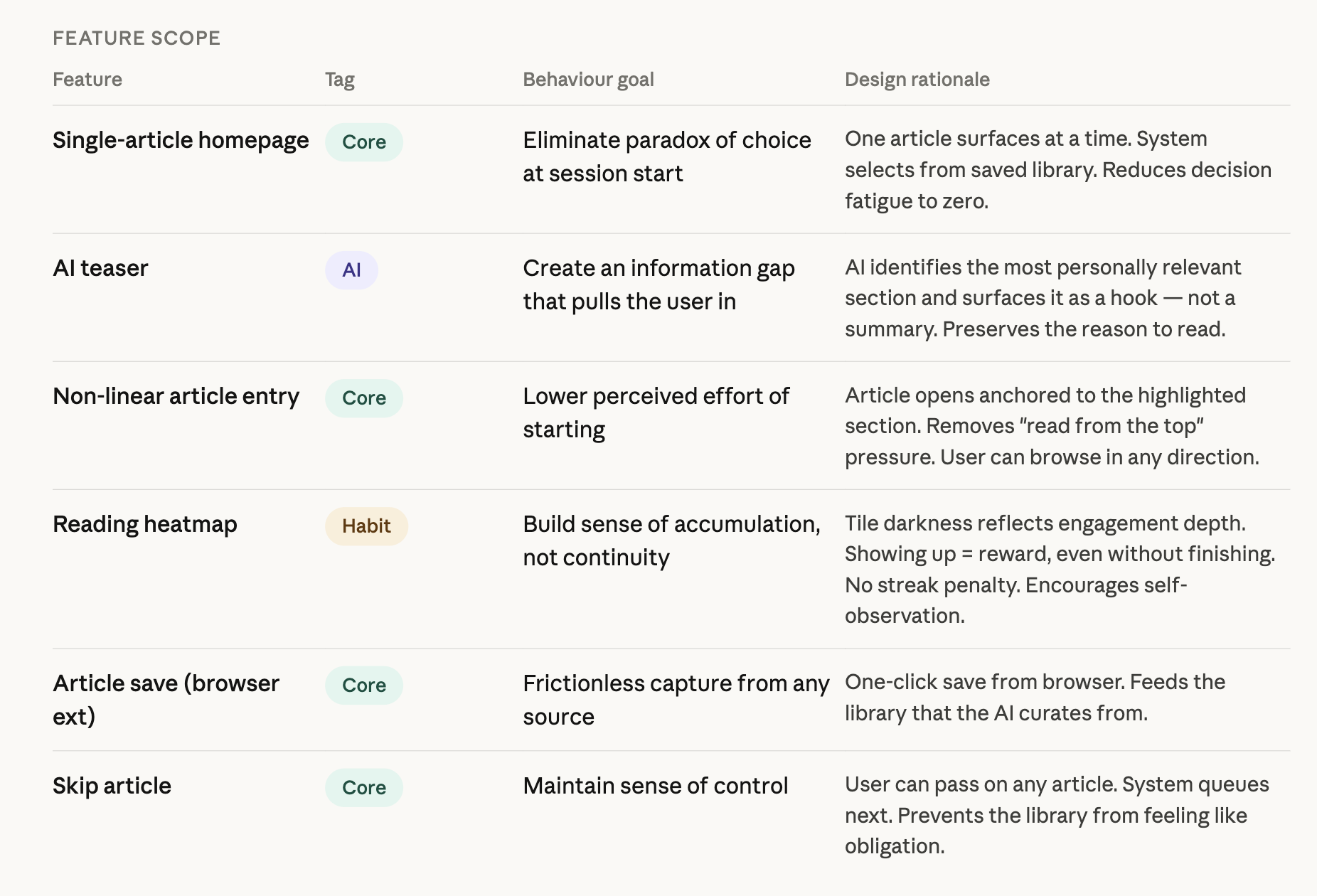
A detailed MVP spec deliberately scoped everything around the Teaser + Habit loop. Every feature I cut was a decision to protect the core behaviour change rather than dilute it.
Process

AI-assisted development — designing in the medium.

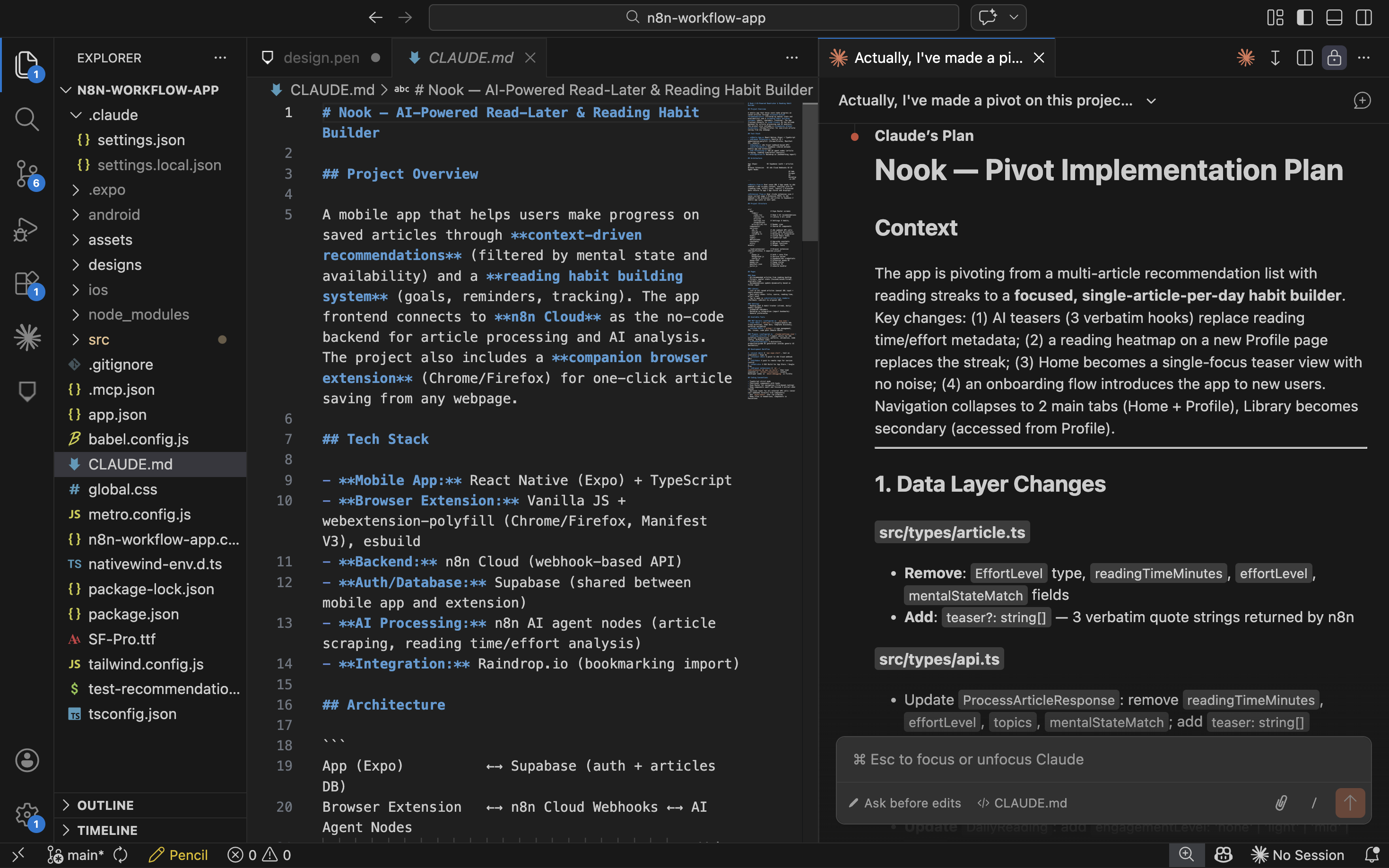
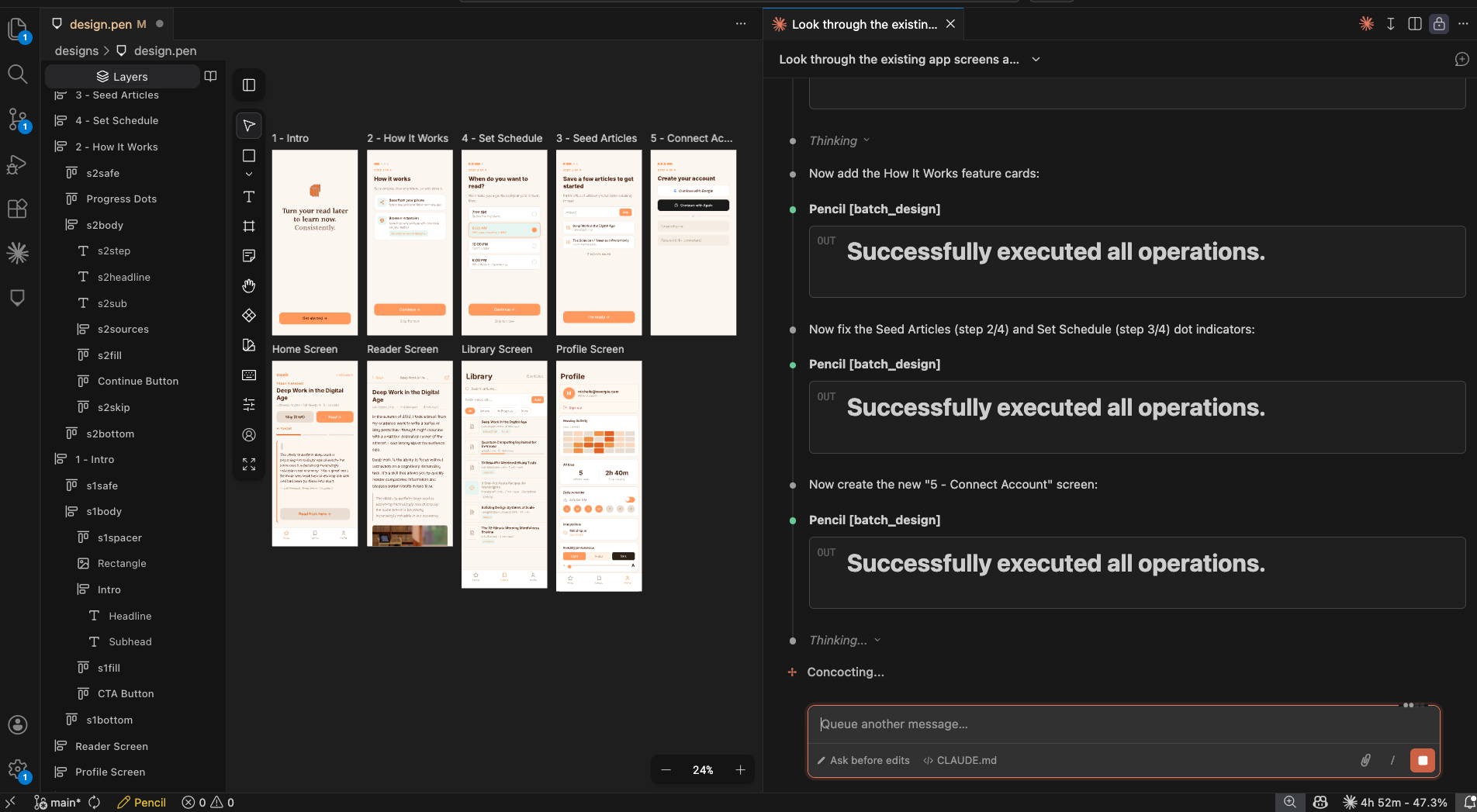
To validate Nook's core loop, I skipped high-fidelity mockups and moved straight into a functional prototype using Claude Code. This let me “design in the medium” — testing feasibility and the feel of AI latency and interactions in real time.

My objective was to move beyond static concept and build a live loop: passing saved articles through the AI engine to generate and display personalised teasers on the frontend. It transformed the process from passive visualisation into active, data-driven validation.

Prototyping the AI teaser loop directly in code

Tech stack

What I built with.

Frontend

React Native

Chosen for its cross-platform reach — Nook lives wherever a reader finds a spare moment.

Backend / logic engine

n8n

A low-code workflow tool used as a modular playground, letting me swap LLM prompts and parsing logic in minutes.

Coding agent

Claude Code

Configured with specialised MCPs to orchestrate the full stack — a seamless flow between UI and data layer, iterating against a Simulator with real data.

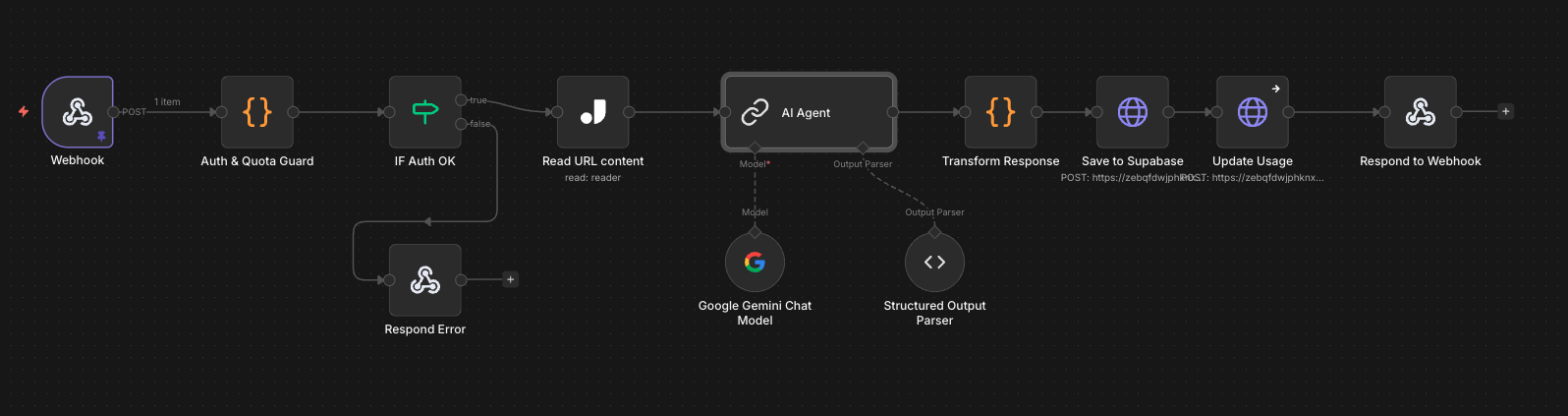
Composing an n8n workflow for Nook's backend logic
Composing an n8n workflow for Nook's backend logic.
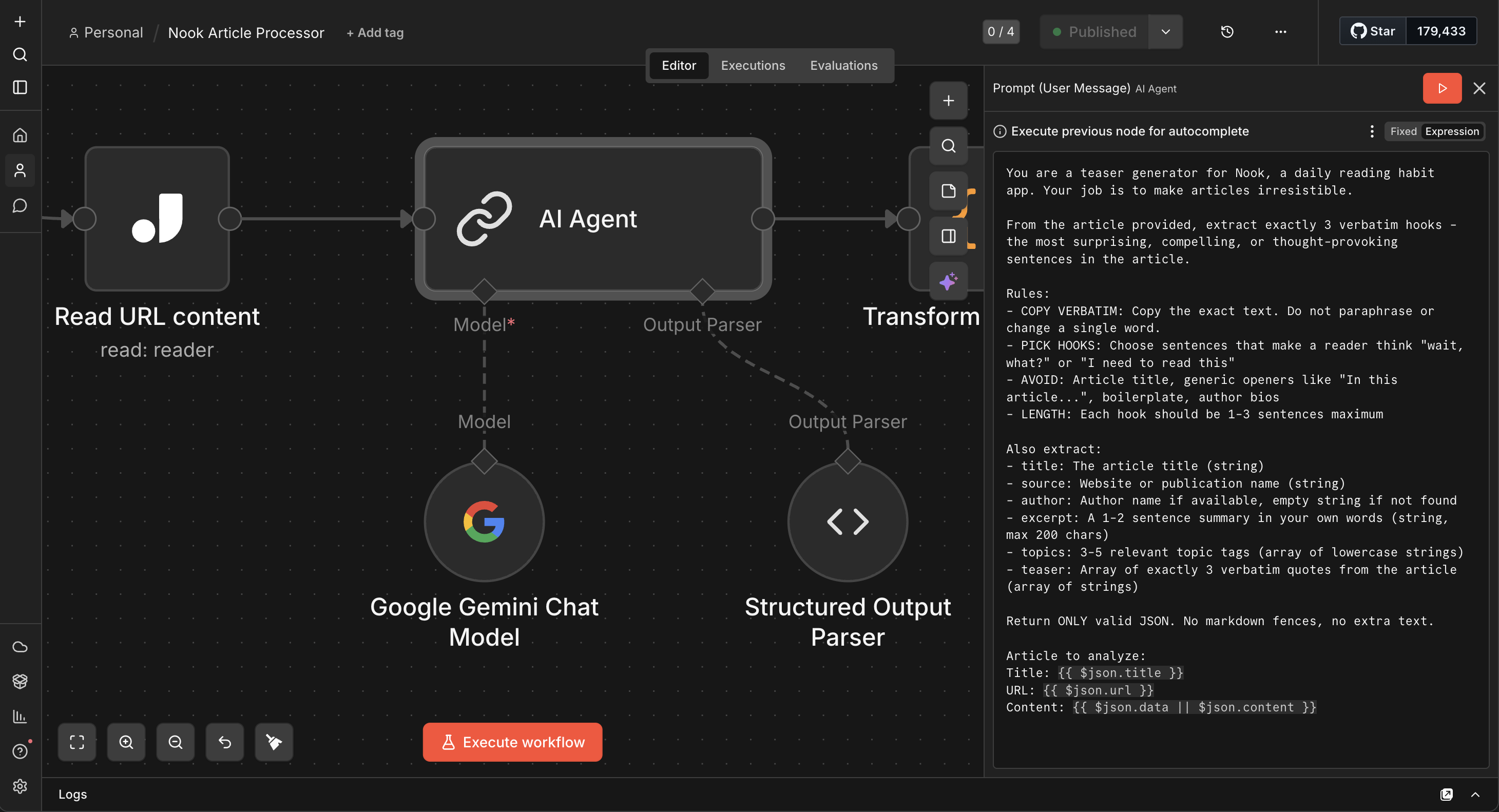
AI agent tuned to act like an editor — pulling the most exciting sentences
The AI agent is configured to act like an editor — not summarising, but pulling the most exciting sentences verbatim to make people want to start reading.
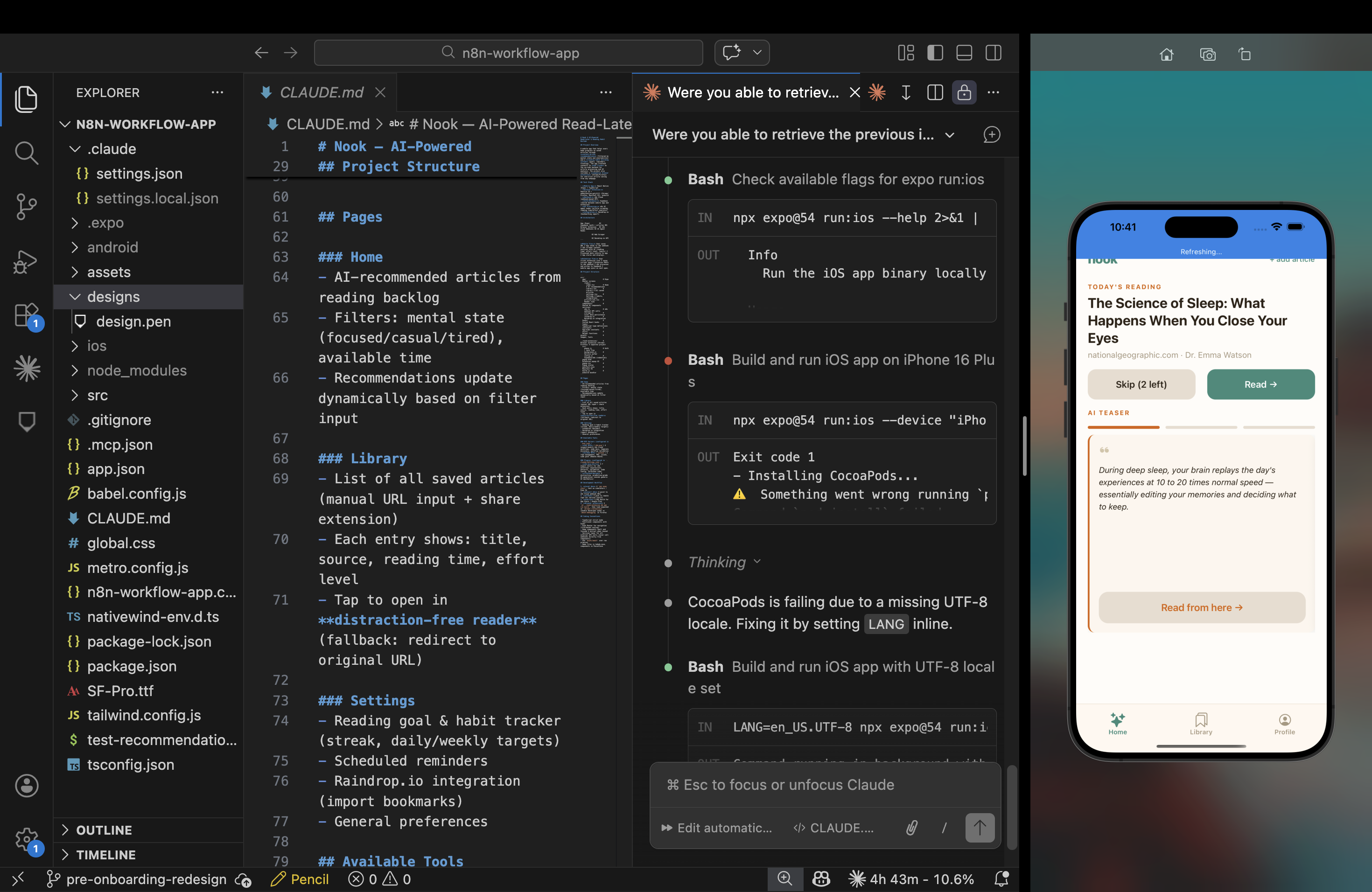
AI, code and UI running together in the live app
The satisfaction of closing the loop — concept to a live, functional app where AI, code and UI work in harmony.
Final loop closing between AI, UI and habit

Craft

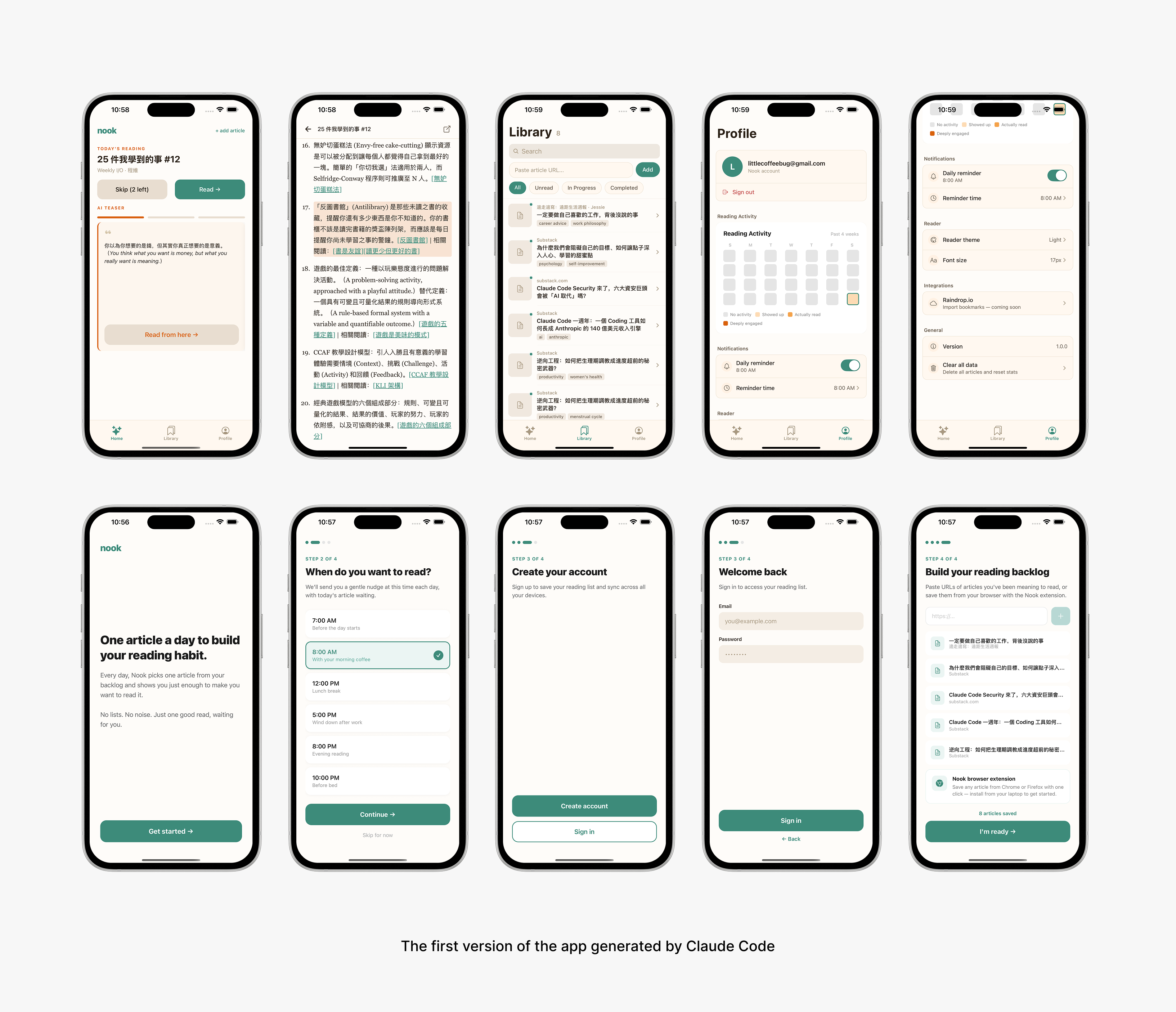
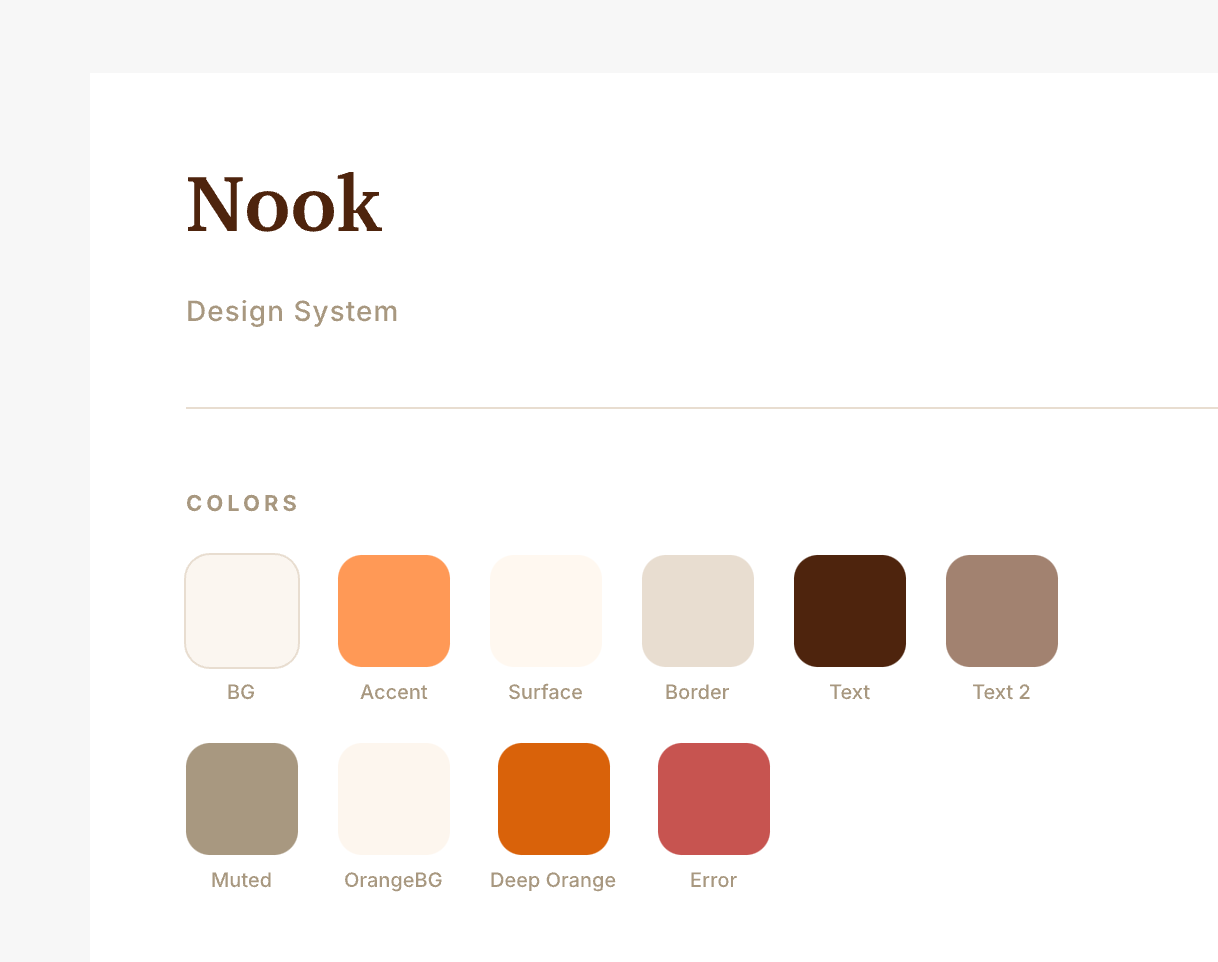
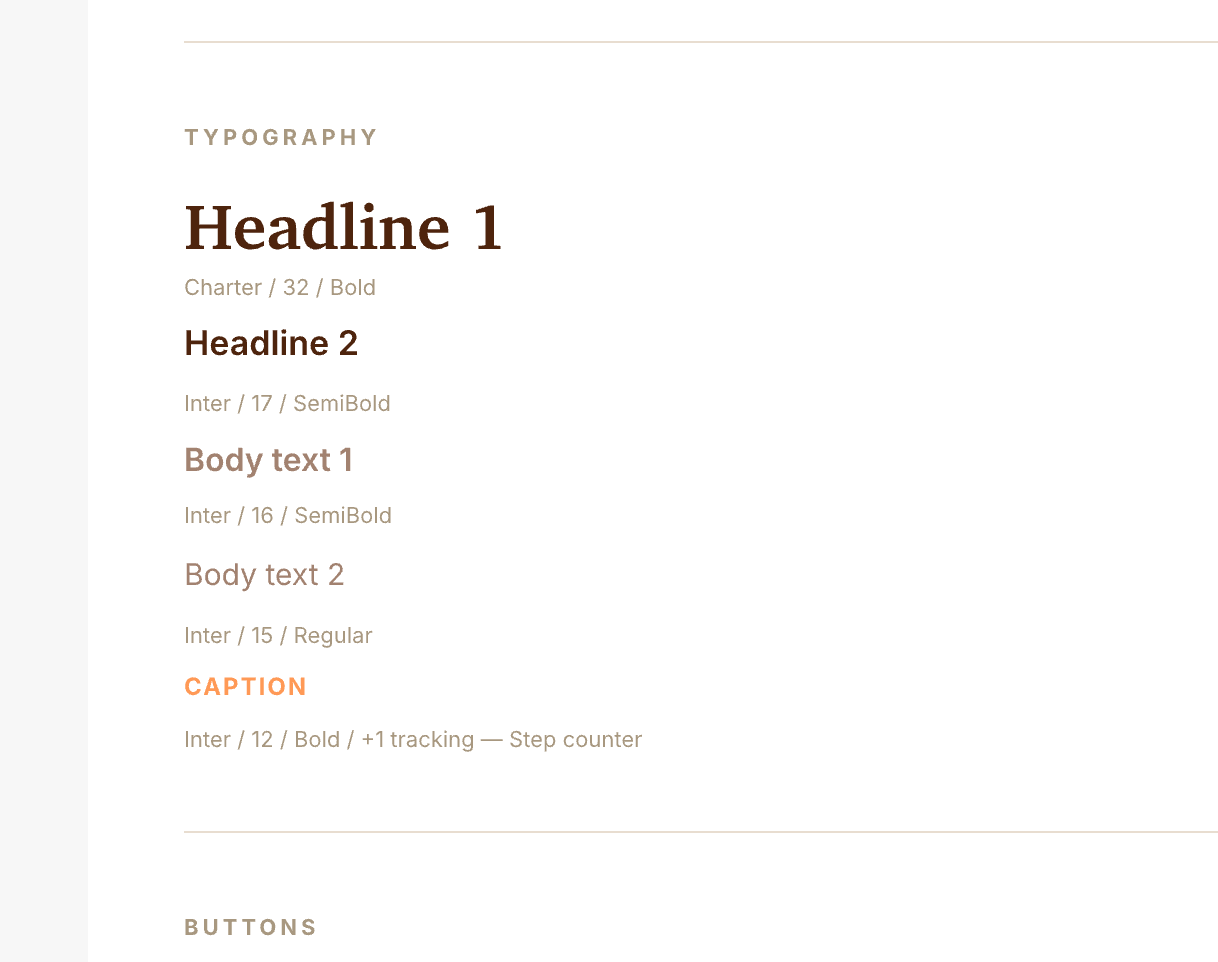
Design still matters — refining Nook's visual language.

It's dangerously easy to settle for the “standard” UI AI generates. But AI provides the logic; the designer provides the soul. I intentionally moved away from the robotic aesthetic common in AI tools, taking time to define Nook's visual language and component library — a brand that stands out while feeling intimate and composed.

To keep design and code in sync, I used Pencil.dev for a two-way sync workflow, enabling direct updates between design and implementation.

Design ↔ code two-way sync workflow with Pencil.dev
Design ↔ code two-way sync workflow with Pencil.dev.
Screen design displayed in a device mockupScreen design displayed in a device mockup

Resilience

Preparing for failure and edge cases.

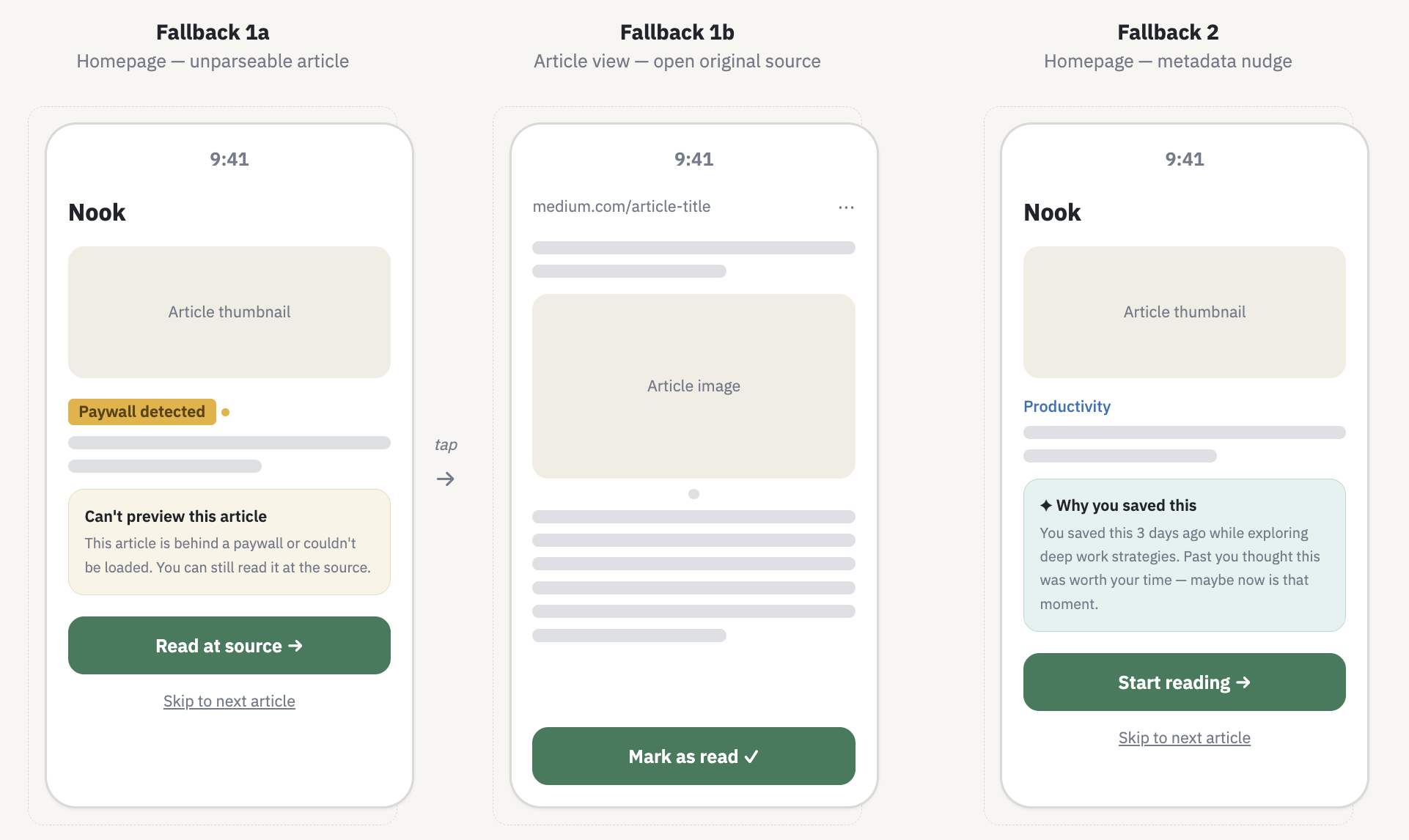
In AI products, error states aren't exceptions — they're part of the user journey. The biggest threat to Nook's trust was parsing failure: paywalled content, paginated sites, incomplete data. I designed two fallbacks so the core experience never broke.

Fallback 01

Unparseable articles

When an article can't be parsed, it stays in the library and the app opens a webview to show the original source — no broken reader.

Fallback 02

AI teaser unavailable

When the AI can't generate a teaser, the system generates a metadata-driven nudge — using the article topic and save time to remind the user why they saved it in the first place.

Fallback states — webview + metadata-driven nudge

Outcome

Interrupting the save-but-never-read pattern.

The problem was never that people didn't want to read. They saved articles with intention — but the moment of opening the app turned that intention into a choice, choice became friction, and friction became guilt. Nook was built to interrupt that pattern.

Building it solo — from research to shipped code — taught me things years of team projects hadn't. Owning the full stack meant every design decision had to survive contact with reality. I couldn't design around technical constraints I didn't understand, or hand off edge cases I hadn't thought through.

Nook is in beta. Whether the habit loop sticks at scale is still to be proven. But the process proved something I set out to test — that a designer who can move from concept to launch thinks differently about both.

Reflection

Project learnings.

Speed is a design tool

Building with Claude Code and n8n taught me that the faster I can get a prototype into my own hands, the faster I uncover the flaws in my assumptions. Moving quickly to a functional state meant less guessing and more refining.

Know where AI adds unique value

Only by deeply understanding the user problem alongside AI's specific strengths can AI become a strategic enhancement, not a feature that quietly degrades the experience.

A small taste of entrepreneurship

The project pushed me to define Nook's market value, balance feasibility with desirability, and navigate blind spots — teaching me that building a product isn't just design, it's the resilience to turn a vision into launch-ready reality.

What's next

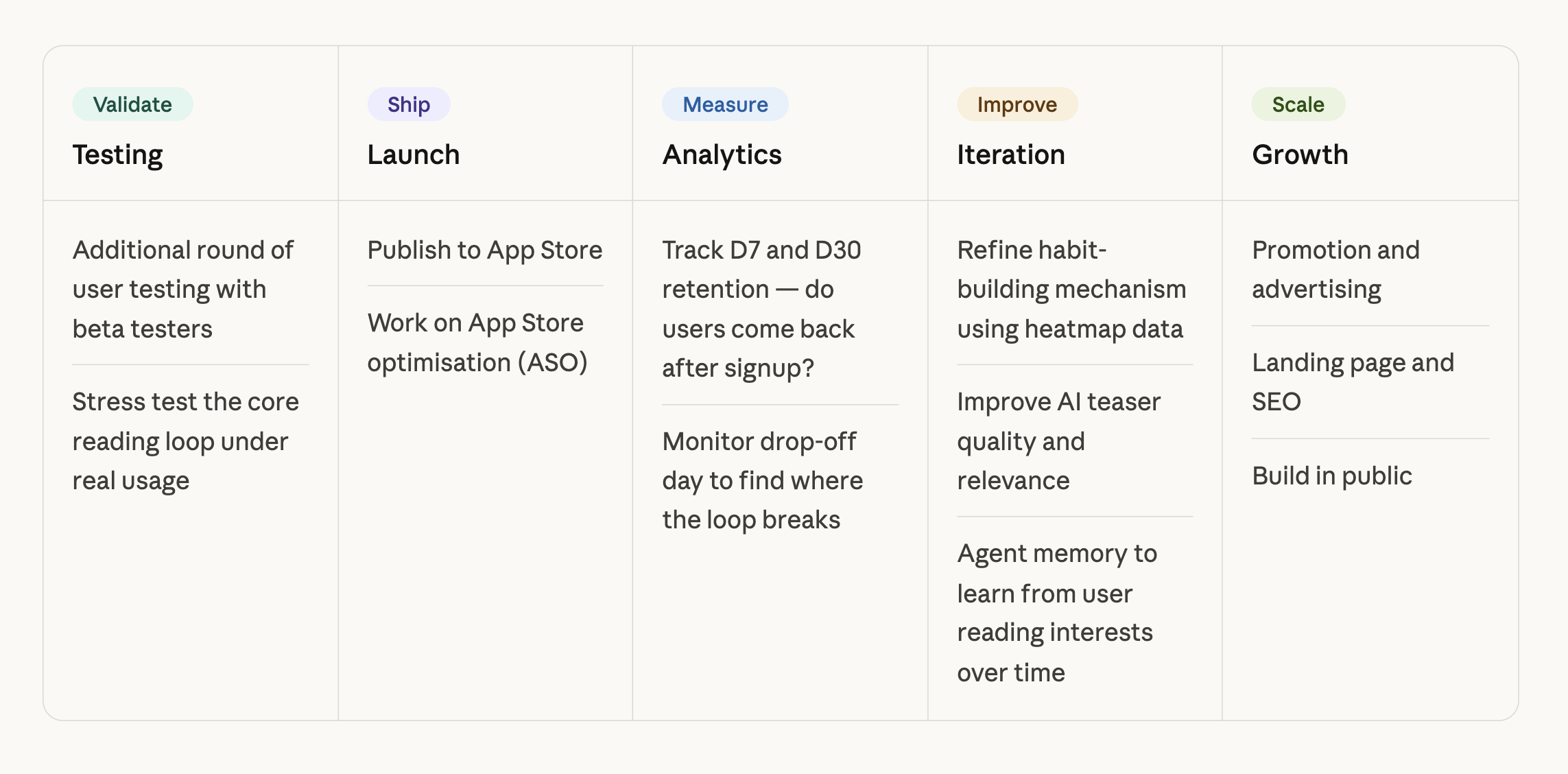
The app is working — so, what's next?

The MVP is live in beta. From here the work turns to onboarding behaviour, measuring habit stickiness, and layering community + shared reading nooks on top of the teaser loop.

What's next — beta roadmap sketch